Wallet Creation & Security Infographic
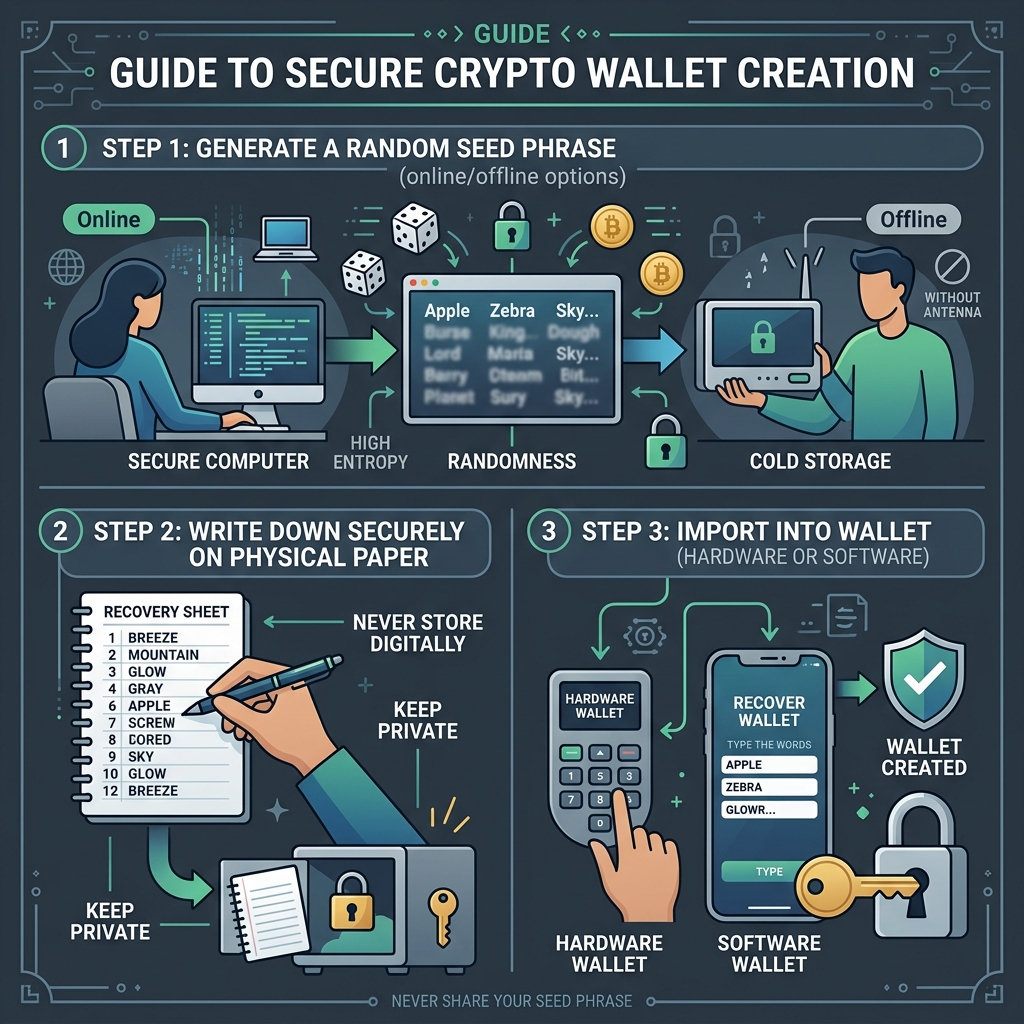
1 Generate Your BIP39 Seed Phrase
The foundation of any modern hierarchical deterministic (HD) crypto wallet is a random recovery mnemonic. Follow these steps to generate one securely:
- Navigate to the Generator: Go back to our main generator tool.
- Select Word Count: Choose between a 12-word phrase (128 bits of entropy) or a 24-word phrase (256 bits of entropy). 24 words is recommended for maximum cold-storage security.
- Air-Gap Your Machine (Optional): For absolute security, save this web page, copy it to an offline PC, and run the generator fully disconnected from the internet. All logic runs locally.
- Click Generate: Click the "Generate Seed Phrase" button to generate a new cryptographically secure random mnemonic phrase in the browser.
2 Backup and Secure Your Mnemonic Offline
Your seed phrase represents complete ownership of all current and future derived private keys and public addresses. If someone steals it, they steal your funds. Protect it with these rules:
CRITICAL SECURITY LAWS
1. Never store your seed phrase on an internet-connected device (no screenshots, no email drafts, no cloud storage).
2. Never type it on a keyboard unless restoring a wallet.
3. Do not read it aloud near phones, cameras, or smart assistants.
Physical Backups: Write down all words in the exact numbered order (1 to 12 or 24) on a clean card or paper with permanent ink. For permanent backups, stamp the words into a stainless steel plate (metal backup) to protect against fire and water damage.
3 Import the Seed Phrase Into Your Wallet
Once your seed phrase is written down and secured, you can load it into standard crypto wallets to start sending and receiving crypto assets.
Option A: Software / Hot Wallets (MetaMask, Trust Wallet, Phantom)
- Download the official extension or mobile app. Verify the developer to avoid phishing apps.
- Launch the app and select "Import Wallet" or "I already have a secret recovery phrase".
- Enter your 12 or 24 words in the correct order, separated by single spaces.
- Set a strong local access password or PIN to unlock the app on that device.
Option B: Hardware / Cold Wallets (Ledger, Trezor, Keystone)
- Connect your hardware device directly to your PC and open its companion software (Trezor Suite / Ledger Live).
- Select "Restore Wallet" on the device menu.
- Enter the words directly on the hardware device itself using its buttons or touch screen (never type it into your computer keyboard).
- This ensures the private key never touches the internet, providing bulletproof hardware-level security.